a. Press New Samples.
b. The Add Samples form will be displayed.
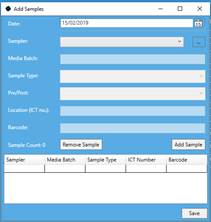
c. Enter the fields required
i. Date
ii. Sampler
iii. ICT number
iv. Sample Type
v. Barcode
d.
Scan the barcodes or enter the details and press Add Sample to add the Sample to
the list. Do this for every sample that is to be added. (Once the first location
has been entered, the Sampler and Date cannot be changed.) 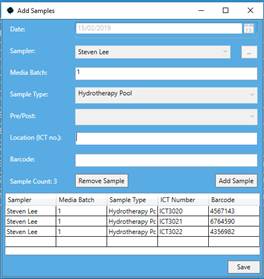
e. Press the Save Button.
f. A notification will be displayed to show the save has been completed.